
RE:Heads, Please! Roblox Wiki — Codes, Coins & Enchants
Flip coins for money, roll stronger coins and accessories, then deepen your build with enchants, engraving, mining, quests, and station exploration.
Latest Game Guides
Start Here
Your RE:Heads, Please! Journey
Popular Pages
Trending Now
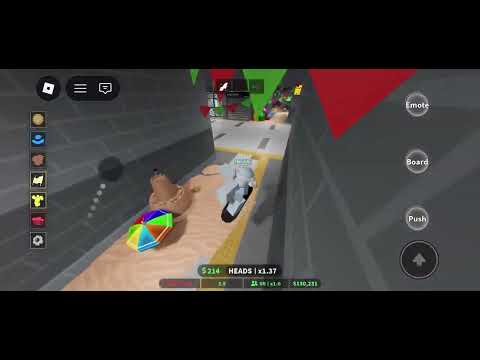
What is RE:Heads, Please!?
RE:Heads, Please! is a Roblox Simulation / Incremental Simulator by RE:COS.Studio. Flip coins for money, roll better coins, collect accessories, and use deeper upgrade systems to progress.
The reboot includes skateboard travel, station content, mining, quests, enchants, engraving, and Fountain rolls. It remains in Beta, so update-sensitive details can change.
Developer
RE:COS.Studio
Platform
Roblox
Genre
Simulation / Incremental
Total Visits
4.9M+
Favorites
31.8K+
Max Players
30
Explore RE:Heads, Please!
Choose a verified guide path for your next session.
RE Heads Please Codes
Track the two currently verified codes without mixing them with the older Heads, Please! experience.
sicktricks2 Engraving Scrolls, 3 Accessory Tickets, and 1 Mining Luck Potion.
thankyoufor6kccuFree rewards; exact bundle not confirmed.
RE Heads Please Coin Guide
Compare current coin progression by practical profit and decide which rolls are real upgrades.
Penny, Slime, Clover, Friendship
Graph, Rhythm, Dream, Zone
Leveling, Lock, Black Rose, Overdrive
Calendar has the highest documented profit in the supplied data.
RE Heads Please Beginner Guide
Follow the shortest route through flipping, earning, rolling, equipping, and exploration.
- 1Redeem currently verified codes.
- 2Build cash with the starting coin.
- 3Roll and compare stronger coins.
- 4Save scarce upgrade materials for keepers.
- 5Add accessories after income is stable.
- 6Use the skateboard to explore stations.
RE Heads Please Enchantments
Understand the documented Luck, Wealth, Flash, Heads, Walk, and Heavy effects.
Improves roll luck.
Improves money earned.
Improves flip speed.
Improves heads chance.
Adds movement utility.
Trades flip speed for more money.
RE Heads Please Coin Progression
Use documented profit values to decide when a Fountain result is worth keeping.
$10 profit per flip.
$30 profit per flip.
$150 profit per flip.
$500 profit per flip.
$1,100 profit per flip.
$2,500 profit per flip.
RE Heads Please Accessories
Use Accessory Tickets as a secondary progression system after establishing coin income.
- 1Collect verified Accessory Ticket rewards.
- 2Open the accessory roll interface.
- 3Read the live tooltip before assuming effects.
- 4Use inventory and delete controls carefully.
- 5Prioritize reliable coin income first.
Stations and Skateboard
Use the documented controls to move between the main station and additional content.
Start with the core flip and roll loop.
A separate destination with more content.
Use Q on keyboard or LT on controller.
Use R on keyboard or LB on controller.
RE Heads Please Controls
A compact input reference for keyboard, touch, and controller in the current Beta.
Click, touch, or RT.
Q or LT.
R or LB.
G or D-Pad Down.
Controls may change in later updates.
Frequently Asked Questions
Source-grounded answers about the current RE:Heads, Please! experience.
Flip Better Coins, Spend Smarter, Explore Every Station
Start with the coin loop, then optimize codes, Fountain rolls, enchants, accessories, mining, quests, and skateboard routes as the Beta evolves.