
RE Heads Please How to Emote: The Ultimate Animation and Progression Guide
Master the emotes in Roblox's RE: Heads Please. Learn how to purchase, equip, and use emotes, plus expert progression and movement tips.
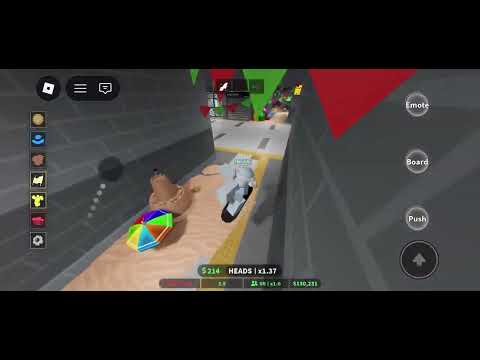 Featured gameplayMaster the emotes in Roblox's RE: Heads Please. Learn how to purchase, equip, and use emotes, plus expert progression and movement tips.YouTube
 Introduction to RE: Heads Please and the Power of Emotes
Are you ready to show off your style while flipping your way to virtual riches in Roblox's hit coin-tossing game? If you are wondering about re heads please how to emote, you have come to the right place. Learning re heads please how to emote is essential not just for expressing yourself after a lucky roll, but also for mastering some of the community's wildest movement tricks. In this comprehensive guide, we will break down everything you need to know about unlocking, equipping, and triggering your favorite animations.
RE: Heads Please is a highly popular incremental simulator developed by RE:COS.Studio. The core gameplay is beautifully simple yet incredibly addictive: you toss a coin, earn in-game currency (Wons), and use your profits to roll for rarer, more powerful coins. Along the way, you can customize your character, complete quests, and explore a vibrant map.
While the main objective is to maximize your coin-flipping efficiency, social interaction is a massive part of the experience. Emotes allow players to communicate, celebrate rare pulls, and even discover hidden map secrets. Whether you are a casual player looking to dance with friends or an advanced player aiming to break the map's boundaries, mastering the emote system is key.
Where to Find and Purchase Emotes
Before you can show off your moves, you need to add some emotes to your collection. In RE: Heads Please, emotes are treated as collectible cosmetic items that you can acquire using your hard-earned in-game cash or Robux.
The primary hub for acquiring these animations is the Coin Shop, located right in the main plaza of the game world. While most players visit this shop to roll for new coins, it also features a dedicated section where you can buy emotes directly. Additionally, the game features a specialized Emote Shop UI that displays optional, premium animations for players who want to stand out from the crowd.
If you find yourself running out of room for your favorite animations, the developers offer a premium solution. Players can purchase the "+4 Emote Slots" gamepass from the in-game Robux store, which significantly expands your quick-access options.
Emote Shop vs. Coin Shop Options
| Feature / Location | Coin Shop (Main Plaza) | Emote Shop UI | Robux Store |
|---|---|---|---|
| Primary Currency | In-game Cash (Wons) | In-game Cash / Robux | Robux |
| Main Items Sold | Coins, Basic Emotes | Premium & Rare Emotes | Gamepasses (e.g., +4 Emote Slots) |
| Access Method | Walk up to building in Plaza | Click Shopping Basket -> Emotes | Click Shop Icon on Left UI |
| Rarity Range | Common to Rare | Rare to Legendary | Exclusive / Limited |
RE Heads Please How to Emote: Step-by-Step Control Guide
When searching for re heads please how to emote, many players are surprised to find that the process is incredibly straightforward once you know where to look. The game features a clean, modern user interface that accommodates both desktop and mobile players.
To use your emotes, you must first equip them from your inventory. Once equipped, they are bound to your quick-access slots. If you are still struggling with re heads please how to emote on different devices, remember that the UI adapts to your platform. On PC, you can click on your active slots or use designated hotkeys, while mobile players can simply tap the corresponding on-screen buttons.
Our step-by-step breakdown of re heads please how to emote makes it easy to assign your favorite emotes to your quick-access slots. Follow the guide below to get started.
Step-by-Step Guide to Equipping and Activating Emotes
| Step | Action | PC Controls | Mobile / Console Controls |
|---|---|---|---|
| 1. Purchase | Buy your desired emote from the Coin Shop or Emote Shop. | Left-Click to Buy | Tap on-screen purchase button |
| 2. Equip | Open your Inventory/Emote menu and assign the emote to an active slot. | Click Emote Icon -> Equip | Tap Emote Icon -> Assign Slot |
| 3. Trigger | Activate your equipped emote in the game world. | Press the assigned slot key or click the icon | Tap the on-screen Emote Wheel / Slot button |
| 4. Stop | Cancel the animation to resume normal movement. | Press any movement key (W, A, S, D) | Move the virtual joystick |
Once you have successfully learned re heads please how to emote, you can explore the other social elements of the game, such as trading coins and chatting with other players in the main plaza.
Popular Emotes and Advanced Community Tricks
The emotes in RE: Heads Please are not just for show. The active Roblox community has discovered that certain animations have unique physics properties. This is why mastering re heads please how to emote has become such a hot topic among speedrunners and casual players alike.
According to player experience and community reports, specific "mobility emotes" can be combined with other mechanics—like the skateboard or shift-lock—to perform advanced movement techniques. For example, players frequently discuss the "noclip glitch". This player-discovered trick involves removing your head collision by using a skateboard on a diagonal staircase, then spamming a mobility emote like Helicopter or Zako while facing a wall.
While the developers may patch these physics quirks in future updates, they remain a fun talking point among veteran players. Below is a look at some of the most popular emotes in the game and how the community utilizes them.
Popular Emotes and Community-Reported Uses
| Emote Name | Rarity | Primary Purpose | Player-Reported Special Uses (Glitches/Tricks) |
|---|---|---|---|
| Helicopter | Rare | Fun animation | Used by players to gain height and assist in clipping onto high boards |
| Zako | Uncommon | Playful taunt | Frequently used in diagonal shift-lock tricks to bypass collision barriers |
| Salute | Common | Greeting | Friendly social interaction in multiplayer lobbies |
| Threaten | Uncommon | Playful challenge | Fun roleplay and lobby interaction |
| Spin | Common | Continuous rotation | Used in tandem with the skateboard for continuous movement tricks |
Essential Beginner Tips and Progression Strategy
While learning how to use your emotes is highly entertaining, your ultimate goal in RE: Heads Please is progression. To help you get started, we have compiled a set of essential strategies based on expert player guides.
1. Optimize Your Coin Flipping
When you first load into the game, you will start with a basic coin that generates very little income. Your immediate goal is to save up $1,000 to gamble at the Fountain for better coins. Utilize the Auto-Flip feature so that your coin tosses continue automatically in the background while you navigate the UI, manage your inventory, or explore the map.
2. Complete Quests for Mobility
Do not ignore the quest givers around the map. One of your first priorities should be completing the search quests for the skateboard shop owner. This involves finding hidden spray cans and board markers scattered around the environment. Once completed, you will unlock the Skateboard, which you can ride by pressing Q and boost by pressing R on your keyboard.
3. Smart Upgrades and Enchanting
As a beginner, avoid spending your cash upgrading basic coins. You will find significantly better coins very quickly, making early upgrades a waste of resources. Once you obtain a high-tier coin that you plan to keep for a while, visit the upgrade NPC to boost its "money earned" stat.
Additionally, you should enchant your best coins using Enchant Books (which have a 1/150 drop rate from flipping). Look for powerful enchants such as Wealth, Heads, and Flash, aiming for Tier II or Tier III versions for the best results.
4. Equip Accessories for Stat Boosts
Accessories like belts and necklaces provide massive passive stat boosts, including increased critical flip chance and faster flip speeds. These can be rolled in the Accessory Shop or obtained as rare drops.
RE: Heads Please Progression Milestones
| Milestone | Requirements | Key Unlocks & Benefits | Best Strategy |
|---|---|---|---|
| Starter Phase | Basic Coin | Auto-flip, Fountain Gambling ($1,000 per roll) | Keep auto-flipping until you save $1,000, then roll at the Fountain |
| Skateboard Unlock | Find 5 Spray Cans & 5 Board Markers | Skateboard (Q to ride, R to boost/trick) | Complete the quest giver's search quests immediately |
| Enchanting Phase | Decent Coin & Enchant Book | Stat boosts (Wealth, Heads, Flash enchants) | Save high-tier books (Flash III, Wealth III) for your best coins |
| Endgame / Level 5+ | Reach Level 5 | Galaxy Room Shop, Ruined Station access | Upgrade money-earned stats and equip critical chance accessories |
If you want to experience these mechanics firsthand, you can jump directly into the action on the official Roblox platform to start your coin-flipping journey. Be sure to redeem any active promo codes in the shop menu to receive free Enchant Books, Engraving Scrolls, and Accessory Tickets to speed up your early-game progression!
Frequently Asked Questions (FAQs)
Why is the community so interested in re heads please how to emote?
The community's interest in re heads please how to emote goes beyond simple cosmetic expression. While emotes are primarily used for fun social interactions in the main plaza, players have also discovered that specific animations, like "Helicopter" and "Zako," can be used to perform advanced physics tricks. These community-reported tricks allow players to bypass collision barriers and explore hidden areas of the map.
How do I get more emotes in the game?
You can acquire new emotes by visiting the Coin Shop in the main plaza or by browsing the dedicated Emote Shop UI. Emotes can be purchased using in-game cash (Wons) or Robux, depending on the rarity and exclusivity of the animation.
Can I use gamepasses to expand my re heads please how to emote options?
Yes! If you want to have a wider variety of animations ready at a moment's notice, you can purchase the +4 Emote Slots gamepass from the Robux shop. This gamepass expands your quick-access slots, allowing you to equip and swap between more emotes simultaneously during active gameplay.
How do I stop an emote once it has started?
To cancel any active emote animation and return to your normal stance, simply press any of your movement keys (W, A, S, or D on PC). If you are playing on a mobile device, moving your virtual joystick will instantly stop the animation and let you walk or run again.
Related Guides
RE Heads Please How to Get Outside: Verified Navigation Basics
Use verified skateboard controls and station navigation in RE:Heads, Please! without unsupported Halloween or teleport-route claims.
RE Heads Please How to Start: The Ultimate Beginner’s Guide to Roblox Coin Flipping
Master RE Heads Please how to start with our comprehensive guide! Learn coin flipping mechanics, quest locations, and the latest September 2026 codes.
RE Heads Please Titles: Verification Status
Check what is verified about RE:Heads, Please! titles without relying on unsupported requirements, rarity odds, or old-game data.
Re Heads Please: How to Do Tricks, Skateboard Guide, and Pro Tips
Master the art of coin flipping and movement in Roblox's Re: Heads Please. Learn how to do tricks, find quest items, and use the latest promo codes.